One QR code gets you every photo and video from your party, sent straight to your own Google Drive™ in full original quality. Guests scan, upload, and get right back to the fun.
Guests don’t need an app, an account, or a password to remember.
Your Party Ends and the Photos Never Show Up
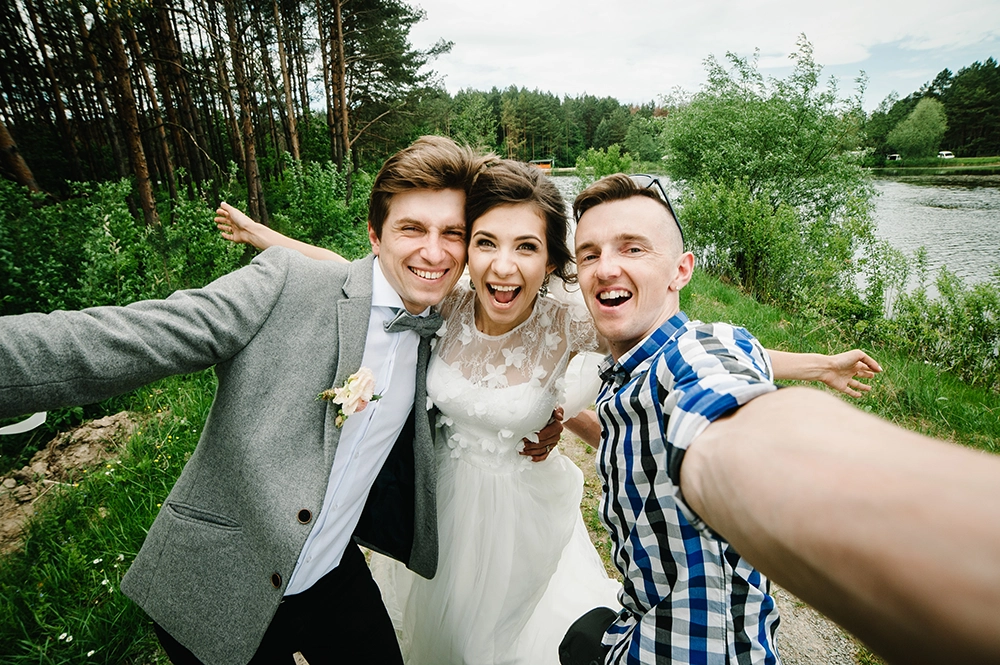
You know how this goes. Forty people took photos at your party, but only three sent you anything. The good ones are stuck in someone’s camera roll, compressed in a group chat, or shrunk down for a story that disappeared after 24 hours.
Almost everyone at your party has a camera in their pocket. Pew Research Center reports that about nine in ten U.S. adults own a smartphone.
Guests are usually happy to share, but downloading an app, making an account, finding the link, and remembering to do it tomorrow all take effort. Each extra step loses a few more guests along the way.
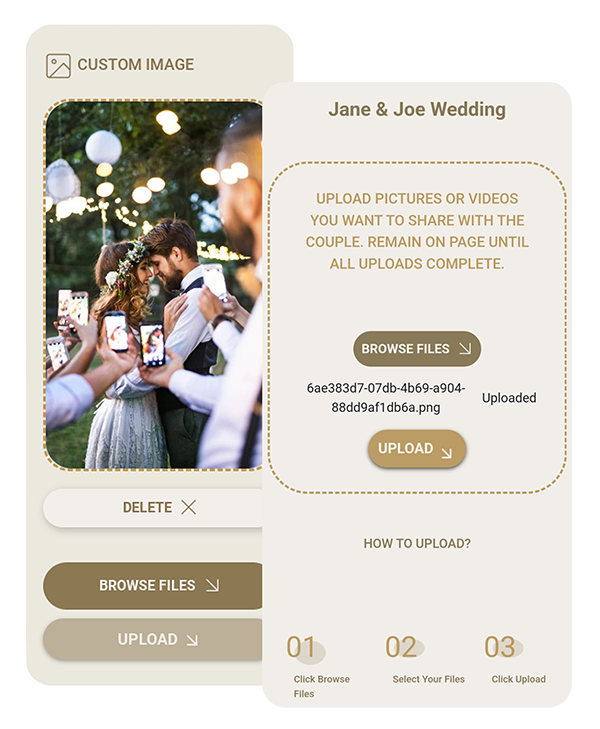
WedUploader cuts it down to one quick scan. Guests point their phone camera at the QR code, tap upload, and they’re done.
Party Photo Sharing Methods Compared
| Sharing Method | Photo Quality | Guest Effort | Where Photos Live | How Long They Last |
|---|---|---|---|---|
| Group chat | Compressed | Send photos one by one | Scattered across the thread | Until they’re buried in new messages |
| Social media stories | Shrunk for the app | Post and hope you see it | The guest’s account | Gone after 24 hours |
| App-based shared albums | Varies by platform | Download an app, make an account | The app’s servers | Up to the provider |
| QR code upload albums | Full original quality | Scan and upload | Your own Google Drive | Never expires |
How Party Photo Sharing Works in Three Steps
Setting up an album takes a few minutes, and your guests don’t have to do anything beyond scanning. From sign-up to the first upload, here’s the whole process:
1. Create Your Album
Sign up, connect your Google Drive, and name your album. Choose the Drive folder where you want everything to land, and you’re ready to share.
2. Share Your QR Code and Link
Every album gets its own QR code, a web link, and printable sign templates. Put the code on table cards, by the bar, on the bathroom mirror, or in the invite. Then drop the link in your group chat.
3. Watch the Photos Roll In
Guests upload from any phone browser, and files go directly into your Google Drive in full original quality. You’ll get an email every time new photos or videos arrive, so you can see the album grow without chasing anyone.
WedUploader Makes Collecting Your Wedding Photos Easy & Simple
Relive your big day through the eyes of your beloved ones.
Your Party Photos Live in Your Google Drive
Plenty of party photo sharing apps hold onto your pictures on their own servers. Here, every photo goes straight to a folder in your own Google Drive, so only you and the people you choose can see it. That setup comes with a few perks for you and your guests:
No App or Login for Guests
Guests use the browser already on their phone, so there’s nothing to install and no password to reset at 11 p.m. with a drink in hand. Uploads can even stay anonymous for guests who’d rather not type their name.
Full Quality With No Upload Limits
Photos aren’t compressed, and there’s no cap on uploads or on how many guests can pitch in. That’s a nice change from group texts, where most carriers cap the size of photos and compress anything larger, as Android Police notes. Here, photos arrive at full resolution and videos stay full length, exactly as they were shot.
An Album That Never Expires
There’s no download deadline and no “your event has ended” email. Come back in ten years and your digital album will be right where your guests left it.
Gallery, Live Photo Wall, and Guestbook Features
Once the photos start coming in, a few extras turn uploading into part of the party. All of these come with the one-time purchase:
A Real-Time Gallery You Control
Switch the gallery to public, and guests can watch the album fill up in real time and scroll through every shot from the night. Keep it private whenever you’d rather be the only one looking, and use moderation tools to hide anything you don’t want on display.
Live Photo Wall and Slideshow
Put a fullscreen slideshow up on a TV or projector, and new uploads show up on screen as they arrive.
Guestbook Messages and Voicemails
Guests can add their name and a note with each upload, and every entry lands on one guestbook page. Download it as a spreadsheet, and your thank-you card list is basically done. Voicemail lets them record a quick voice message instead, which is often easier than filming a video in a dimly lit room.
Party Photo Sharing for Every Kind of Celebration
This all started as a way to collect photos from weddings, where a long guest list and a once-in-a-lifetime day leave no room for missing pictures. The same setup works just as well for these parties:
- Birthday Parties: Set up a birthday QR code and give the guest of honor an album of the whole night instead of a few blurry group shots.
- Engagement Parties: Capture your first celebration as an engaged couple, then reuse the same account for the shower and the wedding.
- Bachelorette and Bachelor Parties: Keep the weekend in a private album that never shows up on anyone’s public feed.
- Baby Showers: Collect photos from both sides of the family without a group chat that goes on forever.
- Graduation Parties: Save every angle of an afternoon spent celebrating years of hard work.
- Anniversaries and Retirements: Guests who skip social media can still add their photos with a quick scan.
- Holiday Parties and Reunions: Office holiday parties, family reunions, and New Year’s Eve gatherings all fit, and the photos come from everyone instead of one tired volunteer.
- Housewarmings and Dinner Parties: Small nights like these rarely get photographed well, and they’re often the ones you’ll want to look back on.
One Purchase for Every Party You Throw
A one-time purchase unlocks every premium feature for every album on your account, forever. There’s no subscription or per-event fee, and you’ll never get a renewal email eleven months from now. Every album gets:
- Unlimited Uploads and Guests: Collect every photo and video your guests take, in original quality and with no logins.
- Unlimited Albums: Give each event its own album with no expiration date.
- QR Codes and Sign Templates: Get a link and QR code for every album, plus the premium sign template library.
- Gallery and Photo Wall: Share a real-time gallery and project a fullscreen slideshow at the party.
- Guestbook and Voicemail: Let guests leave written notes and voice messages with their uploads.
- Custom Look and Links: Personalize your colors, template, and album URL, add up to two event managers, and share your schedule and registry on one event page.
Create your album today and start collecting.
The #1 Simple & Easy Way to Collect Wedding Photos & Videos From Your Guests
Frequently Asked Questions
Before you print your QR code, it helps to know how everything works. These are the questions party hosts ask most:
Where do party photos go after guests upload them?
Party photos go directly into a folder in your own Google Drive™ as soon as guests upload them. Files never sit on our servers along the way, so you own every photo and video from the start.
How many photos and videos can guests upload?
Guests can upload as many photos and videos as they like, since the only limit is the space in your Google Drive. According to Google, every account comes with 15 GB shared across Gmail, Drive, and Photos, and you can upgrade to 100 GB for about $2 a month if you need more room.
Can I use one album for multiple parties?
You can use one album for multiple parties, but giving each event its own album keeps things organized. Your one-time purchase covers unlimited albums, so the engagement party, shower, and birthday can all have their own.
Does a party photo album ever expire?
A party photo album never expires, and every file stays available for as long as you want it. Since the originals live in your Google Drive, they’re yours to keep no matter what.
How do I get more guests to upload their photos?
Getting more guests to upload starts with placing the QR code where people linger, like tables and the bar, and mentioning it early in the night. Turning on the live slideshow helps too, since nothing gets people uploading like seeing their own photo pop up on screen.