

GuestCam and WedUploader both let guests share wedding pictures and videos by scanning a QR code, with no app to download. Every file stays in original quality on either platform, guests get a photo gallery to scroll through on both, and both work in multiple languages. The bigger differences show up once the wedding is over.
GuestCam hosts your photos for 12 or 14 months and charges for each event. WedUploader shows guest uploads in a live album gallery and saves the originals to your own Google Drive, and one purchase covers unlimited albums that never expire.
GuestCam vs. WedUploader at a Glance
Both platforms handle the basics well, so most of the differences are in how long your photos stay put and how many events one purchase covers. Here’s how they line up:
GuestCam vs WedUploader Comparison
| Feature | GuestCam | WedUploader |
|---|---|---|
| Guest access | QR code or link, no app or account | QR code or link, no app or login |
| Pricing model | One-time fee per event, two tiers | One-time purchase covering all albums |
| Where uploads go | Hosted GuestCam gallery | Live album gallery, originals saved to your Drive |
| Photo quality | Original files, no compression | Original quality, no compression |
| Upload window | 6 months (Standard) or 12 months (Premium) from event date | No expiration |
| Long-term access | 12 months (Standard) or 14 months (Premium), paid yearly extensions | Files stay in your Google Drive |
| Separate QR codes | 1 (Standard) or 6 (Premium) per event | Unlimited albums, each with its own QR code |
| Live slideshow | Included on both plans | Real-time fullscreen photo wall |
| Voice messages | Audio guestbook, phone dial-in on Premium | Private guest voicemails |
| Guest extras | Reactions and comments | Guestbook messages with CSV download |
| Languages | 17 languages | Multilingual upload page |
WedUploader Makes Collecting Your Wedding Photos Easy & Simple
Relive your big day through the eyes of your beloved ones.
Uploading and Where Your Wedding Photos End Up
Guests on both platforms can browse everyone’s photos and videos in a shared album. What separates them is the upload window, where the original files live, and how long you can get to them.
On GuestCam, guests get a 6-month upload window on Standard and 12 months on Premium. Guest uploads stay on GuestCam’s platform for 12 or 14 months. Both clocks start on the event date you set, so buying early doesn’t eat into your time. Before storage runs out, you can download everything as one ZIP file or pay to extend storage a year at a time.
Each WedUploader album has a gallery page where guests watch photo and video uploads appear in real time, and you pick which shots stay private. Every file also lands in your Google Drive the moment it’s uploaded, and nothing ever expires. Albums stay open to new uploads, too, so if your cousin finds more photos on her camera a year later, she can still add them. Every Google account comes with 15 GB of free cloud storage, and if your guests film a lot of video, Google’s 100 GB plan runs $1.99 a month in the U.S.
Price and What’s Included
Both companies charge once with no subscription, but they package features differently. GuestCam prices each event by tier, while one WedUploader purchase covers every album you create:
GuestCam’s Standard and Premium Tiers
Standard includes unlimited guests and uploads, an audio guestbook, and one main gallery and QR code with unlimited sub-galleries. Premium adds six main galleries with their own QR codes, custom colors, and a dial-in number, allowing guests to leave voice messages by phone. Both plans come with a live slideshow, Canva QR code templates, and a one-click ZIP download.
Guests can also react to and comment on uploads, and the upload page is available in 17 languages. For $45 per event, you can add MagicFind face search, which lets each guest take a selfie and pull up every photo they’re in.
What One WedUploader Purchase Covers
One WedUploader purchase covers unlimited guests and uploads, a real-time album gallery, a live photo wall that runs as a fullscreen slideshow, a digital guestbook, guest voicemails, custom colors, and Canva QR code templates. Guests can use the upload page in their own language, which helps when your guest list spans more than one. You can also download every guestbook entry as a CSV, which makes thank-you cards easier to write.
Every file is already in your Google Drive, so you’ll never have a ZIP file to download. That same purchase covers unlimited albums, so the engagement party, bridal shower, bachelorette weekend, rehearsal dinner, and wedding day can each have their own. Every album gets its own QR code and link that only that party’s guests receive, so your college friends’ bachelorette pics and your family members’ shower photos stay separate.
Choosing Between GuestCam and WedUploader
Both platforms make uploads easy and give guests a gallery to enjoy. The choice comes down to what you want during the party and what happens after it.
GuestCam may suit you if:
- You’d like guests to react to and comment on each other’s photos, like a private social feed
- Face search would help your guests find every photo they’re in
WedUploader may suit you if:
- You want a live gallery plus the originals in your own Google Drive
- You want to collect photos from several parties leading up to the wedding
- You don’t want a storage deadline hanging over your first anniversary
GuestCam’s storage ends around your first anniversary, so you’ll need to download your ZIP file or pay to keep the gallery online. WedUploader skips that after-wedding homework entirely, because your photos are already in your Drive and your albums never expire. Nothing gets lost to an expired plan, and years from now, every photo will be right where you left it.
If you’re still weighing wedding photo sharing sites, our Kululu vs WedUploader and Wedibox vs WedUploader comparisons cover two more options.
Collect Every Guest Photo With WedUploader
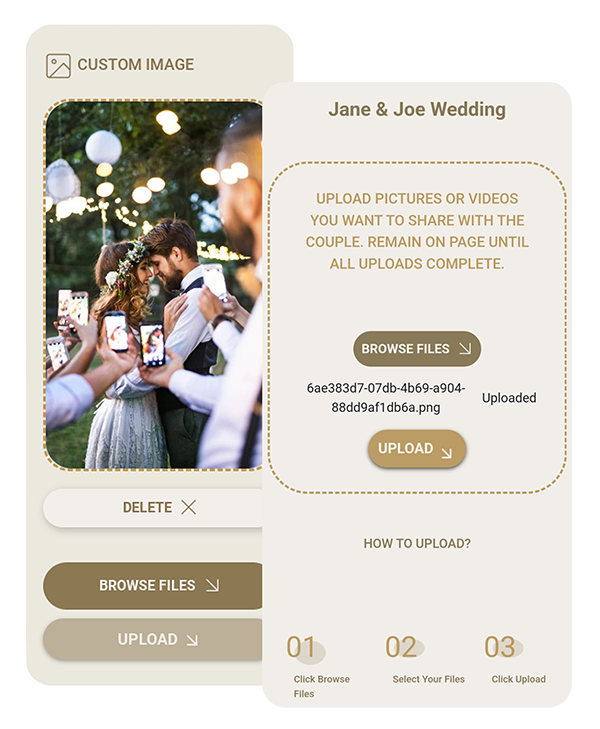
Your guests’ photos should be easy to find long after the last dance. With WedUploader, guests scan a QR code and upload without an app or login. Their photos fill your live album gallery, and every file saves to your Google Drive in original quality. Create your first album today.
The #1 Simple & Easy Way to Collect Wedding Photos & Videos From Your Guests
Frequently Asked Questions
Do guests need an app for GuestCam or WedUploader?
Guests don’t need an app for GuestCam or WedUploader, because both work in any phone’s web browser. They scan a QR code or tap a link and upload photos in their preferred language, without creating an account.
Which offers better overall value, GuestCam or WedUploader?
WedUploader offers better overall value for most couples, with one purchase covering unlimited albums for every party and photos that never expire. GuestCam charges per event, and keeping your gallery past its 12- or 14-month storage window means paying to extend it.
Who owns the photos on GuestCam and WedUploader?
You own your photos on both GuestCam and WedUploader, and neither platform claims rights to your guests’ uploads. The difference is where the files are stored: GuestCam keeps them on its own servers, and WedUploader saves them directly to your Google Drive.
Disclaimer: GuestCam information accurate as of Nov. 2026. Please see GuestCam’s website for the most up-to-date information.