
Print one code, set it on the tables, and every guest can upload birthday photos and videos straight to your own Google Drive™ in full original quality. Guests don’t have to download an app or make an account. Setup takes a few minutes, and for guests it’s one scan and a couple of taps.
What a Birthday QR Code Does
A birthday QR code is a printed square that opens a private online album for your party. Guests aim their phone camera, tap the link, and upload the photos and videos they just took. Nobody has to install anything, sign up, or use the same photo service you do.
With 91% of U.S. adults owning a smartphone, nearly everyone at the party can join in. With WedUploader, every upload goes directly into a folder in your own Google Drive at full original resolution, and you get an email each time something new arrives.
How to Create a QR Code for a Birthday Party
Setting up takes four quick steps. You can have the sign printed before the balloons go up:
- Create Your Album: Sign up, connect your Google Drive, and name the album after the guest of honor.
- Download Your QR Code: Our QR code generator creates a personal link and matching code for every album. Drop it into a sign template and print.
- Place Signs Where Guests Linger: Set them out wherever guests gather, from the dinner tables to the bathroom mirror.
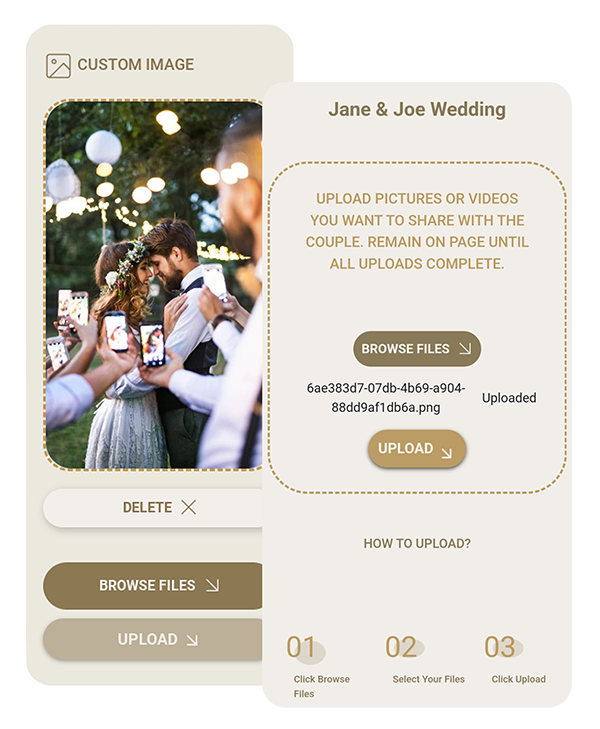
- Collect Every Upload: Birthday pictures and videos land in your Drive as guests upload them, and everyone can browse the shared album from their phones. For a live photo wall, put the fullscreen slideshow on a TV or projector during the party.
WedUploader Makes Collecting Your Wedding Photos Easy & Simple
Relive your big day through the eyes of your beloved ones.
Where to Put Your Birthday QR Code
QR code placement decides whether you end up with four hundred photos or fourteen. The best spots catch guests standing still with a phone already out:
- Table Cards: Put one in a stand on each table so guests can read it without picking it up.
- The Bar: Guests wait in line here, so they have a spare minute to scan.
- Next to the Cake: Guests have just snapped their favorite shot of the night, so catch them while it’s fresh.
- On the Invitation: Adding the code to a paper or digital invite makes it familiar before anyone arrives.
- Favors and Thank-You Notes: Take-home cards keep uploads coming the week after, when guests finally sort their camera rolls.
Pro tip: Mention the album once early in the night, or ask a friend to give it a quick shoutout. Uploads tend to pick up as soon as guests spot their own photos on the slideshow.
Your Party Photos Go Straight to Your Google Drive
Lots of photo apps keep your files on their servers, behind their login. WedUploader sends everything to a Google Drive account you already control:
- Your Drive, Your Files: You own every photo and video the second it arrives. Every Google account starts with 15GB of free space shared across Drive, Gmail, and Photos.
- No Expiration: The album stays live for good, whether you revisit it next week or in ten years.
- Original Quality, No Caps: Group chats tend to shrink photos, but these arrive at full resolution, and videos come through at full length, exactly as guests shot them.
- Guestbook and Voicemail: Guests can add birthday wishes to their uploads or leave a recorded voice message. For milestone birthdays, those messages can end up meaning as much as the photos.
- Moderation Tools: Remove or reinstate any photo so the public gallery stays party-appropriate.
By the time the last guest heads home, every photo is already waiting in one folder, ready to share with the birthday star or print for the fridge.
Works for Every Kind of Birthday Party
WedUploader started as a wedding tool, built for a hundred-plus guests and a night you can’t redo. That same setup makes party photo sharing simple for any birthday, from a first to a 60th:
Birthday QR Code Uses by Party Type
| Birthday | Who’s Uploading | Most Helpful Feature |
|---|---|---|
| First birthday | Grandparents, family friends | Shared album everyone can browse |
| Kids’ party | Other parents | Anonymous uploads, no swapped numbers |
| Sweet 16 or 18th | Teens and friends | Private album instead of social stories |
| 21st birthday | Friends from the night | Moderation tools for the gallery |
| 30th, 40th, 50th | Out-of-town guests | Guestbook birthday wishes |
| 60th and up | Guests off social media | Voicemail messages |
| Surprise party | Everyone in the room | Live slideshow photo wall |
| Office birthday | Coworkers | Shareable link for remote coworkers |
| Bar mitzvah | Relatives, classmates, family friends | Guestbook messages for the guest of honor |
| Quinceañera | Family, court of honor, friends | Custom colors and sign templates that match the theme |
Your Code on a Sign People Actually Read
A plain happy birthday scan code taped to a table is easy to walk past, while a sign designed to match the party catches the eye.
You can also set custom colors, an album template, a background photo, and a personalized link so your album page feels like part of the party.
The event information page works like a mini birthday website, with links to the schedule, a gift wish list, and any weekend plans.
One Purchase Covers Every Birthday QR Code You’ll Ever Need
A one-time purchase unlocks all premium features across every album on your account. There’s no subscription and no per-event fee, and guests never pay a thing. When next year’s birthday rolls around, just make a new album at no extra cost.
What’s included:
- Every photo and video in original quality
- As many guests as you invite, with no logins
- Albums for every birthday, with no expiration date
- QR codes and printable sign templates
- A real-time shared gallery and fullscreen slideshow photo wall
- A private guestbook for names, birthday wishes, and voicemails
- Custom colors, album templates, and a personalized link
- Event manager access for up to two people, plus an event info page
The #1 Simple & Easy Way to Collect Wedding Photos & Videos From Your Guests
Frequently Asked Questions
How do I create a QR code for a birthday party?
You can create a QR code for a birthday party by setting up an album and connecting your Google Drive™, and your code and link are generated automatically. From there, download the code, add it to a printable sign, and set it out where guests will see it.
Do guests need an app to scan a birthday QR code?
Guests don’t need an app, because iPhone and most Android cameras read QR codes on their own. They point the camera, tap the link that pops up, and start uploading right from their browser.
Is it safe to use QR codes at a party?
Using a QR code at your own party is generally safe, since most QR code scams involve tampered codes in public spots or codes sent in unexpected texts and emails. The FTC’s consumer alert on QR code scams describes fake stickers placed over real codes, so printing and placing your own signs sidesteps that problem.